| App Name | Honista APK |
| Version | v13.0 |
| Downloads | 128,000+ |
| File Size | 94.24 MB |
| Updated on | Today |
| Mod Info | Download Reels |
Honista vs Instagram
Instagram is one of the most popular social media platforms for sharing photos, videos, stories, and messages. However, some users look for additional customization and privacy options beyond what the official application provides. This is where Honista comes into the discussion. It is an unofficial modified Instagram client that offers extra features for users who want more control over their app experience.
In this guide, we will compare Honista vs Instagram and explain their main differences, features, advantages, and possible drawbacks so you can understand which option may suit your needs.
What Is Instagram?
Instagram is an official social media platform developed by Meta. It allows users to share photos, videos, Stories, and Reels while communicating through direct messages. It also provides tools for creators and businesses, including professional accounts, insights, advertising, and content management features.
Instagram is available through official app stores and supported web browsers. It receives regular updates, security improvements, and official customer support options.
What Is Honista?
Honista is an unofficial modified version of Instagram designed to provide additional customization, media tools, and privacy-related options. Depending on the version, users may find features such as custom themes, profile picture zoom, copying captions, and additional media downloading options.
Unlike Instagram, Honista is not an official Meta application. Its features, updates, and compatibility can vary, so users should carefully check the source and version before installing it.
Honista vs Instagram: Main Differences
Both applications offer an Instagram-style social media experience, but they differ in several important areas.
Privacy Options
Instagram provides standard privacy settings, including private accounts, blocking, restricting, and controls for activity and interactions.
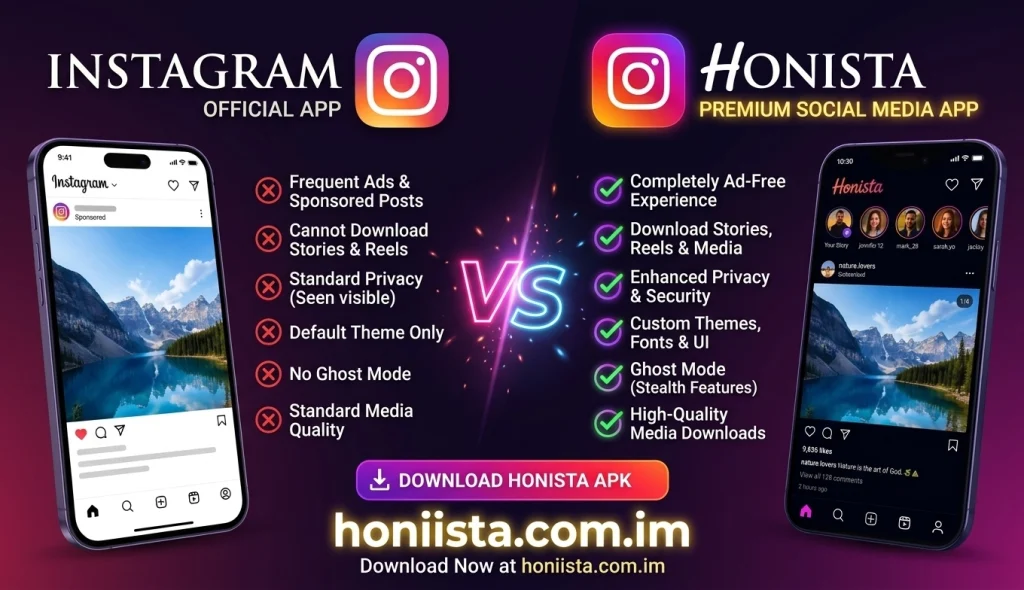
Honista may offer additional options for hiding selected activity indicators, such as typing or seen status. Some versions also advertise Ghost Mode features. However, these options are not guaranteed to work in every situation and should not be treated as complete anonymity.
Media Downloading
Instagram allows users to save posts within the application, but direct downloading of other users’ photos, videos, and stories is limited.
Honista versions may include additional tools for downloading supported media to a device. Users should respect copyright, content ownership, and the privacy of creators before saving or sharing anything.
Customization and Themes
Instagram offers a consistent interface with limited appearance customization.
Honista may provide more visual options, including different themes, fonts, colors, and interface settings. This can appeal to users who prefer a personalized appearance rather than the standard Instagram design.
Messaging Features
Instagram includes direct messages, group chats, reactions, voice messages, and other communication tools.
Some Honista releases advertise extra messaging controls, such as hiding selected activity indicators or accessing anti-delete options. These features may be version-dependent and are not officially supported by Instagram.
Updates and Compatibility
Instagram receives updates through official distribution channels and has a more predictable update process.
Honista updates depend on its third-party developers and distribution sources. A new release may introduce improvements, change existing features, or cause compatibility problems with certain devices.
Honista vs Instagram Comparison Table
| Feature | Honista | |
| Official application | No | Yes |
| Custom themes | Available in some versions | Limited |
| Media downloading | Extra tools may be available | Limited |
| Privacy controls | Additional options may be available | Standard controls |
| Reels and Stories | Version-dependent | Official support |
| Regular updates | Third-party releases | Official updates |
| Customer support | No official Meta support | Official support options |
| Security review | Not equivalent to official app review | Official app review process |
Advantages of Honista
Honista may appeal to users who want more flexibility in their social media experience. Some commonly promoted advantages include:
- Additional interface customization.
- Extra media downloading options.
- More privacy-related settings.
- Profile picture zoom functionality.
- Options for copying captions and comments.
- Additional controls in supported versions.
These benefits depend on the specific release and should be checked before installation.
Advantages of Instagram
Instagram remains the more reliable choice for most users because it offers:
- Official updates and security improvements.
- Better-established account protection.
- Support for creators and business accounts.
- Access through official app stores.
- Integrated messaging and social features.
- Official help and support resources.
Is Honista Better Than Instagram?
The answer depends on what you need. Honista may interest users who want extra themes, media tools, and customization options. However, it comes with important limitations because it is an unofficial application.
Instagram is generally the better choice for users who prioritize account security, official support, predictable updates, and access to the complete supported platform experience.
Using a modified client may create account, privacy, or compatibility risks. Meta does not officially support Honista, and using third-party clients may conflict with platform terms.
Which One Should You Choose?
Choose Instagram if you want an official, supported social media application with established security and regular updates. Consider Honista only after understanding the risks of third-party software and checking the source, permissions, and compatibility of the version you are considering.
Frequently Asked Questions
Is Honista the same as Instagram?
No. Instagram is the official application developed by Meta, while Honista is an unofficial modified client based on the Instagram experience.
Can I download media with Honista?
Some Honista versions include additional media downloading tools. Availability may vary, and users should respect the rights and privacy of content creators.
Is Honista safer than Instagram?
There is no reliable basis to claim that Honista is safer. Instagram is the official application, while third-party modified apps can introduce additional security and privacy risks.
Does Honista support Instagram Reels?
Some versions provide access to Reels-related features, but functionality can vary depending on the release and compatibility.
Can I use Honista and Instagram together?
Some Android devices may allow both applications to be installed, depending on their package names and compatibility. However, using multiple clients with the same account may create login or account-related issues.
Conclusion
The comparison of Honista vs Instagram shows that both applications serve different user preferences. Honista focuses on additional customization, privacy-related settings, and media tools, while Instagram provides an official and supported social media experience. Before choosing either option, consider your priorities, device compatibility, and account security. For most users, the official Instagram application is the more dependable choice.
1 thought on “Honista vs Instagram – Main Differences Explained”